Forsaken Combat Fighting Controls
The Roblox layer plus the fight layer, written so you can keep this page open during a warm-up.
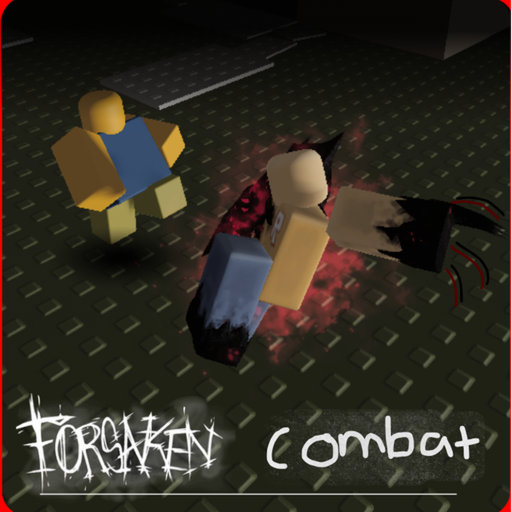
A controls page for Forsaken Combat Fighting has to admit two layers. The first layer is ordinary Roblox: move, jump, look, chat. The second layer is the fighter: Block, Punch, Charge, and whatever extra tool a remade kit still owns. If you only memorize the first layer, you will walk in circles while someone else reads your swing.
This page is the sheet. The combat basics page is the why. Use them together, not as substitutes.
PC and Mac
| Action | Input |
|---|---|
| Move | W A S D or arrow keys |
| Jump | Space |
| Camera | Right mouse drag |
| Zoom | Scroll wheel |
| Interact | E or click |
| Chat | / |
| Menu | Esc |
| First person | I, or zoom all the way in |
Those bindings match the default Roblox action template this experience sits on. If you rebound keys in the Roblox settings app, your sheet is whatever you saved. Do not fight the wiki; fight your own config.
Fight inputs are painted on top. In Guest-style fangames the common map is a Block key, a Punch key, and a Charge key. Those labels can move when the creator remakes assets. After every visible update, open a quiet corner and tap each ability once. If a key that worked yesterday now opens emotes, believe the client, then check the Updates Hub.
Mobile
| Action | Input |
|---|---|
| Move | Virtual joystick |
| Jump | Jump button |
| Camera | Swipe |
| Zoom | Pinch |
| Interact | Tap |
| Chat | Chat icon |
| Menu | Menu button |
Mobile fights fail on camera more than on buttons. Your thumb covers the joystick, your other thumb covers abilities, and there is no spare finger for a clean look. Before a ranked-feeling duel, stand still and practice a 180 swipe without walking. Then walk a figure-eight while keeping a dummy or a wall in frame. If you cannot keep a target on screen, you are not ready to Block.
If the on-screen ability cluster overlaps the joystick after a remake, lower UI scale in Roblox settings or switch to a landscape hold. Portrait play is how Charge becomes a random dash into a wall.
Console and mixed parties
Roblox will let a controller join the same server as a keyboard. The actions stay the same even when the glyphs change. Bind look to a stick you can keep moving while you press Block. If look and Block share a face button in your head, you will drop camera every time you defend.
When you play with friends, say the action name, not the key. “Block now” survives a mixed party. “Press Q” does not.
Settings that matter more than skins
- Shift lock / mouse lock. If you come from other Roblox fighters, try both. Pick the one that lets you walk sideways while you hold an angle. Inconsistency is worse than either mode.
- Sensitivity. High look speed helps after a Charge. Too high and you Block the floor. Move in small steps.
- Graphics. This experience already warns about bugs. If animations hitch, drop effects before you buy a new excuse.
- Chat. Bind it somewhere you will not tap mid-Block. A chat focus during a swing is a free hit for the other player.
A five-minute bind check
Use this after any patch, and after you switch from phone to PC.
- Walk a square. If you drift, your camera is fighting WASD.
- Jump twice. Confirm you still have height. Some remakes change jump feel.
- Open and close the menu. Confirm Esc or the mobile button does not eat the next input.
- Fire Block into empty air. Watch the animation. That is your invuln window to learn on combat basics.
- Fire Punch. Note the wind-up. If you cannot see it, your graphics are too low or the asset is mid-remake.
- Fire Charge into empty space. Feel the miss recovery. That slowness is why greedy Charges lose.
Log anything that did not fire. Then open getting started if you are still unsure you are in the right experience, or how to get good if the keys work and your decisions do not.
Keep the sheet next to other tools
Print is unnecessary. Pin this page, the practice checklist, and the Guides Hub. If a friend asks for “the keybind,” send this URL instead of a blurry screenshot. Screenshots rot after the next remake. A page can be edited the same day the asset remake note updates.
Controls will never make you good by themselves. They only remove the excuse that you “couldn’t find the button.” Once that excuse is gone, the rest of the wiki can talk about reads.
Frequently Asked Questions
Quick answers players ask before they queue again.
What is the Block key?
It depends on the current kit UI and your Roblox rebinds. Open a safe corner after each update and tap every ability once instead of trusting an old screenshot.
Can I play Forsaken Combat Fighting on mobile?
Yes. Use the joystick, swipe camera, and keep the ability cluster in landscape. Camera control is the real mobile skill.
Why did my keys change after an update?
The creator is remaking assets. Menus and ability slots can move. Recheck binds and read the Updates Hub.
Should I use shift lock?
Use whichever mode lets you strafe while you keep an angle. Switching every death is worse than either choice.